
| Key Takeaways to Remember |
|---|
| The 3D Stadium Megapack transforms the gaming experience by making each stadium unique and believable, with an immediate immersion boost. |
| Newgen R‑Evolution V8 corrects regen faces and strengthens attachment to long careers in Football Manager 26. |
| FM26 Camera Mod by Exius unlocks tactical and cinematic angles to analyze and narrate matches differently. |
| MatchDay Live Commentary adds a live commentary atmosphere that heightens the tension of major events. |
| FM26 addons and Football Manager mods compensate for Unity engine gaps while accelerating FM26 improvements. |
| Football Manager extensions (playable leagues, tactical packs, shortlists) optimize FM26 customization and streamline careers. |
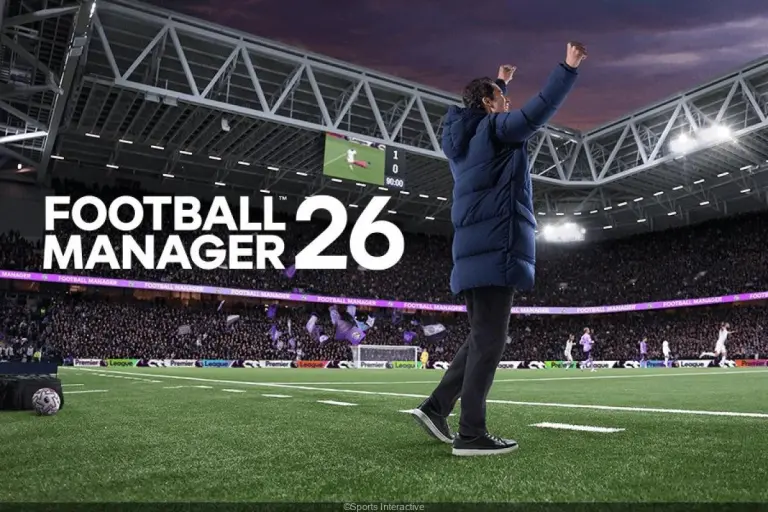
FM26 changed its playing field with Unity and an ambitious overhaul, but the community took over. Thanks to a wave of robust Football Manager mods, the FM26 revolution is experienced daily, between photorealistic stadiums, believable faces, and unprecedented camera angles. Studios patch, creators refine, and the ecosystem enriches itself with a mosaic of tools that reconnect everything. The goal remains clear: to bring the simulation closer to what staff experience week after week, on a real sidelines bench.
This guide compiles the FM26 addons that really make a difference. They install without excessive tinkering, respect the base, and advance FM26 features considered improvable. You’ll find visual, sound, and analytical solutions as well as Football Manager extensions to expand the field of possibilities. The whole serves FM26 customization and offers tangible FM26 improvements, whether playing a local rebuild or a continental conquest. The common thread is based on the journey of a fictional coach, Armand, whose trajectory illustrates the impact of these tools in the long term.
FM26 revolutionized by visual immersion: 3D Stadium Megapack and big night rendering
The promise is simple and strong: to give back the match its setting. BassyBoy’s 3D Stadium Megapack replaces Football Manager 26‘s generic environments with realistic stadiums, textured in 4K, with lighting designed for television. In version 1.2, over 300 venues from Europe and South America are covered. Each arena sports its own identity, from the forecourt to the stands, which deepens the sense of place.
Why this pack changes match perception
The Unity engine already improves the pitch and animations. However, the atmosphere sometimes felt flat. With this pack, a European quarter-final no longer looks like a simple reskin. The tarps, corners, and shadows tell a story. The continental evenings gain weight. The gaming experience approaches a broadcast rendering, without gimmicky effects or unnecessary visual excess.
Coverage, performance, and good settings
The stadiums feature a more coherent crowd system and finer materials. On an average machine, the gain remains stable if anti-aliasing and shadow density are calibrated. One tip works well: limit advanced reflections and keep a high level of detail for the structures. This combination maintains smoothness while preserving volumes. Rainy nights become striking.
Case study: Armand and the continental shock
Armand, in contention for a semi-final, travels to a German temple. The stairs, roof cut, and seat colors set the scene. His group feels the pressure. The team talks take on a different relief. Winning in this setting strengthens the club’s identity. The psychological anchoring is visible on the way back. The players talk about the stadium, chants, the rendering of corners. This extra emotion feeds the winning streak.
Installation, sources, and pack maintenance
Installation is straightforward: drop the folders into graphics/stadiums, enable cache reload, and tick the appropriate option. Updates add new venues and fix collisions. It is useful to follow the creators on their pages to anticipate patches. Sorting by country helps spot duplicates. Overall, stability comes from simple and regular file hygiene.
With this pack, the FM26 revolution can be seen at first glance: a stadium, a soul, a match that matters.
This video demonstration highlights the difference in atmosphere and the effect on set-piece reading.
Newgen R‑Evolution V8: giving a credible face to regens to energize long careers
The face of a young prospect changes the way a save is narrated. The Newgen R‑Evolution V8 pack, signed by Napolitanos, replaces FM26‘s default portraits with nearly 6,000 photorealistic faces. Images are generated then retouched to fit age groups, morphologies, and national diversities. Staff members and women’s football also benefit from this care.
The initial problem and its effects on immersion
Generic regens dilute the story. After five seasons, profiles are less memorable because faces look alike. This uniformity reduces the emotional value of an otherwise strong academy. Fixing this point gives more depth to scouting and individual pathways. The base remains the same, but attachment rises.
What the pack concretely brings
Faces are calibrated, consistent in size, and sorted by country and category. The result is clear: talents look like real footballers. Scout reports gain presence as the eye remembers better. In a shortlist sorting, you visually identify an aggressive fullback or a more mature playmaker at a glance. Age and style markers help project a role in rotation.
Practical case: Armand’s gem
In the winter transfer window, Armand spots a 17-year-old Uruguayan winger. The portrait reflects youthful fervor that matches the technical report. After two loans, the player establishes himself. Progression is also followed through visual narration. Supporters recognize him on club screens. This link feeds patience on still-developing potential. Image-profile coherence dispels doubts.
Setup and maintenance
The pack is imported into graphics/faces, then the cache is reloaded. An index per nation optimizes assignments. Avoid risky mixes of facepacks to maintain uniformity. Backing up previous versions is wise before each update. The gain persists up to seasons 15 and 20, where many usually drop off. Here, curiosity survives.
- Key benefits: wonderkid memorization, quality of reports, staff credibility.
- Best practices: one active pack only, cleared cache, patch tracking.
- Synergies: combined with light skins, radar reading speeds up.
In short, these realistic portraits stabilize the sports fiction and nourish FM26 customization without touching gameplay.
The detailed video helps secure installation and verify folder matches.
FM26 Camera Mod by Exius: wider angles, Free Camera, and high-level tactical reading
The FM26 Camera Mod changes the way matches are observed. It widens zoom and height ranges on key cameras: Behind Goal, Tactical, Dynamic Sideline, and Vertical Scrolling. Most notably, it replaces the Aerial view with a mobile Free Camera. Thus, the lens can be placed anywhere—from the stands to the bench.
Angles that serve analysis
In defensive phases, increased height reveals distances between lines. Pressing triggers are better identified. On ball exits, a mid-zoom helps spot midfield rotation. Corridor movement is also readable in profile. The switch from low to high pressure is appreciated in real time. This speeds up halftime adjustments.
Cinematography and storytelling
The Free Camera provides a documentary feel. You follow a goal from the kop, then reframe on the coach at pitchside. Summaries gain style. Club social networks love these angles. The digital identity strengthens, which also helps the brand. The media dimension joins the coach’s tool.
Adjustment tips and limits to know
Better to save presets by context: high pressing, mid block, set pieces. Avoid collisions with architecture by testing each major stadium. Some views remain unusable during action but perfect for replays. The essential is to keep a neutral tactical camera during active phases.
Case study: Armand’s decisive adjustment
In the quarter-final, Armand spots asymmetry on the left side thanks to a bird’s eye view. He corrects his fullback’s positioning and blocks the diagonal. The match flips. Without this perspective, the gap would have remained hidden. Staff footage then shows the before-and-after in training. Players better understand the intent.
This mod strengthens FM26 features oriented towards analysis and supports FM26 improvements promised by patches.
The illustrated breakdown shows the interest of presets according to game phases.
MatchDay Live Commentary: an audio atmosphere that changes the drama of an FM26 match
A credible commentary enchants the silence of matches. The MatchDay Live Commentary mod adds a dynamic voice reacting to goals, penalties, and turning points in a game. Several voice types are offered, male and female, with tone variations according to tension.
Operation and integration
The system runs alongside the game and listens to events. It triggers contextual lines in real time. The rendering recalls television broadcasting. Volume is modulated not to drown out chants. Balance with stadium atmosphere remains crucial. The whole adapts to major competitions and cup matches.
Psychological impact and pressure management
Commentary changes the perception of momentum. During a series of actions, the voice speeds up the pace. Lulls feel better. Staff rely on this sound cue to read nervousness. On an 89th-minute penalty, emotion rises. The goal then tells a complete story, not just a statistic.
Customization and best practices
A mix with headphones is advised to capture details. Alternative voice packs exist to vary atmospheres. A “sober” profile suits long careers. An “epic” profile fits finals. Replays benefit from slightly higher volume. This granularity makes FM26 customization even finer.
- Voice choice: tone, pace, neutrality.
- Volume management: commentary, chants, effects.
- Key scenes: goals, VAR, injuries, cards.
Practical case: Armand’s final
In the cup, a late equalizer arrives after sustained pressure. The sound narration captures the rise. The final penalty seals the adrenaline surge. Staff then broadcast the extract on the club’s social networks. Supporters relive the tension. The virtuous communication-sport cycle sets in. The mod does not weigh down the interface and delivers its promises.
In sum, this audio addition completes the FM26 addons range and strengthens a club’s identity throughout its season.
Beyond visuals: tactical packs, databases, and league extensions to broaden FM26
Images and sounds are not everything. Football Manager extensions bring playable leagues, corrected databases, and ready-to-use tactics. In FM26, these blocks solidify the sports project and speed up adoption. The “FM26 Downloads” ecosystem groups essentials, from championship expansions to scouting shortcuts.
Tactical packs and modernized roles
Roles have been redesigned by developers. Creators publish adapted schemes: 3‑2‑5 in possession, switch to 4‑4‑2 without the ball, or modular pressings. These packs serve as a base to understand the new matrix. They do not replace adjustment work. They form an effective canvas to start a cycle.
League extensions and enriched databases
League packs add playable divisions while respecting rules. They open exotic destinations and under-scouted markets. Checking compliance with patches remains essential. An enriched database also allows integrating forgotten academies. Rosters become more credible. The loan market gains depth.
Shortlists, skins, and decision-making aids
Target lists by position, age, and budget exist. They save precious time in rebuilding mode. Skins optimize reading of xG, shot zones, and physical radars. Some external tools help harmonize training. The idea is not to cheat, but to better visualize information. FM26 customization fully expresses itself here.
Testing method and field feedback
Armand combines a South American league extension with a high pressing tactical pack. He simulates ten matches, observes key metrics, and adjusts widths. Staff reports confirm the drop in xG conceded. In parallel, a targeted shortlist speeds up an opportunistic recruitment. The club reaches a new level without losing its identity.
These blocks expand FM26 features and cement tangible FM26 improvements over time. They complement the visual and sound pillars described above.
Are these Football Manager mods compatible with official FM26 updates?
Yes, most creators publish quick fixes after each patch. It is advised to read the release notes, back up your graphics folders, and reload the cache in the settings. Following creators’ pages secures compatibility.
Does the 3D Stadium Megapack impact performance on an average setup?
The impact remains controlled if anti-aliasing, shadows, and reflections are adjusted. A high preset for structures and medium for effects works well. Testing with a home match and an away match allows fine tuning.
How to avoid conflicts between facepacks and skins on FM26?
Use only one major facepack, place it in graphics/faces, clear the cache, and reload the theme. Modern skins correctly manage portrait scaling, but avoid mixing packs with different formats.
Is the Camera Mod’s Free Camera usable in a full match?
Yes, but it mainly serves replays and analysis. Keep a stable tactical view during play and switch to the Free Camera to dissect sequences or create video summaries.
Can league extensions corrupt an advanced save?
The risk is low if the Football Manager extension is validated for the current version. Avoid adding or removing a league mid-career. Start a new game with the extension active to ensure stability.