
| To Remember |
|---|
| Football Manager 26 receives its 2026 update in version 26.1.2 on PC, with the console patch 1.007 on PS5 and Xbox Series. |
| Major focus on performance improvements, interface stability and usability. |
| Redesign of the Phases and Season Overview tiles in full screen, enriched navigation and more reliable filters. |
| Rebalancing of the transfer market, unified salary display, and eligibility fixes for WSL awards. |
| The console patch fixes freezes in hotseat with Instant Result and stabilizes replays. |
| Enhanced compatibility and platform compatibility aligned through targeted fixes and a 2-3 week follow-up. |
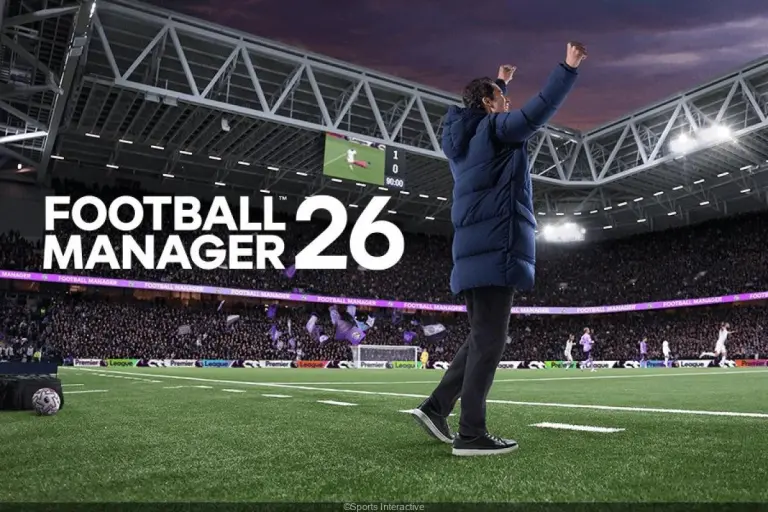
The new momentum of Football Manager 26 translates into a consolidation of its technical base and concrete in-game adjustments. With the 2026 update numbered version 26.1.2 on PC and the console patch 1.007 on PS5 and Xbox Series, the studio harmonizes the experience across platforms while fixing a long list of bugs. Thus, navigation becomes clearer, analytics more readable, and interactions with staff smoother. Virtual coaches will find redesigned key screens, notably “Phases” and “Season Overview”, now in full screen.
Behind these choices, a guiding principle emerges: making the management game more responsive without sacrificing the depth of the football simulation. Transfers receive targeted tweaks, the AI revises its purchasing policy for aging profiles, and indicators stabilize, such as player value or displayed xG. Meanwhile, the in-game editor and pre-game editor become more robust. Long-career clubs will appreciate more reliable validation of continental rules, while console sessions promise more comfort, especially during replays or hotseat sessions.
FM26: full details of version 26.1.2 and console patch 1.007
The rollout of version 26.1.2 sets the immediate roadmap for Football Manager 26. On PC, the update is available via Steam, Epic, and Microsoft Store, with a recommended transition through the public beta consumed during previous iterations. On PS5 and Xbox Series X|S, players see the console patch 1.007, corresponding to build 1.007.000, which synchronizes many stability and gameplay fixes. This cross-platform consistency strengthens platform compatibility and limits divergences between supports.
On the technical side, the team fixes various crashes, including a persistent freeze when using Instant Result in hotseat. Preferences stop resetting for no reason, such as transition speed or “Continue Game Timeout”. Additionally, stadium sizes display correctly regardless of the chosen graphic level. These points seem minor in isolation but smooth the daily loop and clarify the game world reading.
On the interface side, the “Phases” and “Season Overview” cards switch to full screen, which gives space to charts, lists, and contextual interactions. Navigation gains additional dropdown options on the main and secondary bars. Columns become more flexible: their reorganization lasts over time and scrolling no longer disrupts the staff attribute coloring. From player search to career statistics, screens now display the correct default context.
On consoles, the console patch stabilizes replays and reactivates buttons wrongly grayed out pre-match, like “Set Pieces” or “Opponent Instructions”. Agent messages get rid of duplicates, and league history no longer forces a default club. Together, these are visible performance improvements during sessions, offering a more polished and coherent product impression for a wide audience.
To integrate these changes into their routine, many experienced managers test an existing save before starting a new game. They thus evaluate the combined effect of the interface and AI fixes. This dual approach often reveals surprises, such as more rational clubs on thirtysomething profiles or more reliable player lists after filtering by date.
Key changelog points to watch
The studio lists targeted tweaks that respond to irritants identified by the community. These notably include real-time updating of the “Pkd” column during team changes, fixing the “At club since” display which showed random numbers, and adding the “Knowledge” column in the favorites list. These elements improve daily efficiency, especially for players managing large squads and extensive staff.
- Stability reinforced on PC and consoles, including in hotseat.
- UI more readable, with key tiles in full screen and reliable filters.
- Transfers more consistent, with better-framed salary requests and values.
- Replays and tactical buttons fixed pre-match.
- Editors stabilized and editable fields enriched for IA OOP tactics.
Ultimately, this solid base prepares upcoming features, as Sports Interactive plans a new patch in two to three weeks. Users can therefore count on a regular follow-up cycle that secures the evolution of FM26 novelties without breaking the continuity of their careers.
Navigation, interface and Phases screen: concrete gains for the simulation
Readability remains a central issue for a management game as rich as a football simulation. The full-screen “Phases” screen now places key season segments under one roof: draws, streaks, history information, or temporal filters. Thanks to an automatic selection of the latest season on career stats, the user saves time and avoids unnecessary back-and-forths. Additionally, the “Season Overview” card adopts the same full-screen frame, which homogenizes visual landmarks.
On squad lists, column customization becomes more reliable. Repositioning no longer gets lost after scrolling, and staff attribute coloring remains stable. AI clubs interviewed for a team report finally return the expected squad depth, strengthening decision-making. In player searches, filtering by date, e.g., for expiring contracts, works correctly and feeds better shortlists.
In the Data Hub, a scrollbar appears on team and player panels. This addition seems simple but restores coherence in analytical journeys across large squads. Analyses become easier to compare, and coaches no longer have to juggle with too narrow windows. The “Play/Pause” button in match no longer decouples during advanced replays, avoiding confusing desynchronizations during action.
Practical example: “Claire’s” logbook at Brest
On a Brest save, “Claire” took over a dense squad, with high-potential youngsters and players close to thirty. With version 26.1.2, she reorganizes columns to track xG by form and the “At club since” status. Data displays correctly and xG now reflects the real value on the form tile. She compares recruitment and medical staffs from the club area, without comparison bugs, obtaining a reliable overview to plan the break.
Pre-match, the “Set Pieces” and “Opponent Instructions” buttons are no longer grayed out. She adjusts defensive routines, then scores from a corner in the 12th minute. After the match, a visit to the “Phases” screen allows her to isolate an undefeated streak against lower-table teams. This signal triggers targeted rotation and better fatigue management over the next three weeks.
Finally, sorting by dates lets her spot expiring contracts in Ligue 2. She adds the “Knowledge” column to her list and refines her priorities. Result: better-scanned targets and smoother negotiation, as agents no longer duplicate their replies and reasons for unachieved achievements are expressed less ambiguously.
Focus on accessibility and visual coherence
Switching to full-screen tiles harmonizes content densities. This approach reduces cognitive load without impoverishing information. League history graphs no longer lock onto a default club, avoiding biased interpretations. In such an iterative title, every ergonomic detail counts, as it adds up to micro-decisions made during long sessions.
In the current dynamic, these adjustments support the adoption of Football Manager 26 by a wider audience. The interface becomes an ally, not an obstacle, and navigation logic finds a clear thread from the tactics screen to the Data Hub. One sees here one of the most solid performance improvements felt by players, as less friction means more attention for strategy.
A video demonstration enables appreciation of the coherence of these screens and their impact on match preparation, transfers, and training cycles.
Gameplay and transfer market: decisive rebalancing for careers
The 2026 update targets sensitive gameplay areas. Top-tier clubs reduce irrational spending on aging players, normalizing career trajectories and cleaning up wage bills. The AI also adjusts its selling prices, while post-match reputation progresses in a more logical way. This combination creates a more credible market, with tighter negotiations but fewer absurdities.
During offers via Intermediaries, AI responses align better with profile and context. Loans no longer display optional fees at £0 when no fee is expected, clarifying exchanges. Salaries display according to the defined preference, whether weekly, monthly, or annual. Likewise, player values stop plunging abruptly without cause, smoothing amortization curves over several seasons.
Specific cases gain in rigor. “Cash trade” transactions in NWSL now allocate compensation to the right place. WSL distinctions no longer are awarded to ineligible players. Saves carried over from previous editions correctly record the number of incoming and outgoing transfers. Copa Libertadores corrects the team qualified for the Intercontinental Cup, stabilizing inter-competition bridges.
Scenario: “Club Horizon” facing financial fair play
The fictional club “Horizon” built its strategy on resale. In past seasons, some aberrant transfers allowed artificially inflating budgets. With version 26.1.2, offers become more realistic and prestigious clubs bid less on veterans. Practically, Horizon’s sporting director segments his targets by age ranges and shifts part of the budget towards signing bonuses. The effect shows on the wage bill, which stabilizes earlier.
On the interactions side, a bug prevented offering wages still accepted by agents. The fix unlocks these negotiations and reduces deadlocks. Player milestones align better with their actual successes, which enhances internal communication. Over months, this granularity impacts morale, as better-accounted individual awards feed team talks.
Staff responsibilities also gain consistency. If opponent instructions are delegated to the assistant, he applies them more reliably. When hired at a new club via “Apply for a job”, tactic briefings trigger as expected, accelerating onboarding. This continuity improves the quality of life for managers handling multiple projects.
Gameplay fixes summary table
| Area | Impact | Target Audience |
|---|---|---|
| Spending on older players | Reduced overbidding | Elite clubs, AI sporting directors |
| Value and salary | Consistent and stable displays | Long-term managers |
| Loans and transfers | Clarified messages and fees | International market |
| WSL awards | Eligibility respected | Women’s leagues |
| NWSL cash trade | Correct allocation of amounts | NWSL clubs |
| Opponent instructions | More reliable staff execution | “Hands-free” players |
These adjustments strengthen the authenticity of the football simulation and extend the value of advanced careers. By reducing blind spots, they encourage finer strategies from scouting units to the locker room.
Stability, performance, and platform compatibility: PC, PS5, and Xbox aligned
The technical layer is reinforced by a series of fixes that secure sessions. Freezes in hotseat with Instant Result disappear. Replays no longer interrupt commands. Stadium sizes no longer get messed up depending on graphic quality, preserving visual coherence in shared saves. With these patches, the perception of a stable product progresses tangibly.
On consoles, the console patch 1.007 improves overall stability and fixes interface cutoffs pre-match. Players on PS5 and Xbox feel a smoother path between the tactics screen, selection, and kick-off. On PC, the “Continue Game Timeout” and transition speed options retain their value after restart, reducing “mysteries” of lost preferences.
Performance also gains on loading key screens. By gathering tiles in full screen, navigation requires fewer intermediate animations. This effect is noticeable on modest setups but also on long save sessions where cognitive fatigue eventually matters. All contributes to useful performance improvements in the short term.
Quick memo for updating
The procedure remains simple and relies on the distribution ecosystem. When the update does not download automatically, restarting the client often triggers it. This routine applies equally to Steam, Epic Games Store, and Microsoft Store for PC players.
- Steam/Epic/Microsoft Store: close then reopen the launcher to force the download.
- PS5: check for game updates from the icon, then restart the console if needed.
- Xbox Series: go to “Manage game and add-ons”, then look for available updates.
The studio indicated that a next patch will arrive in two to three weeks. This signal consolidates trust in product follow-up and continuous treatment of community feedback. Career projects can thus be sustained over time, with a clear roadmap.
These evolutions fit into Football Manager 26’s ambition across its cycle, with a modernized engine and more powerful interface tools. Benefits measure both in saved seconds and avoided errors.
Editors, data, and progression methodology: leveraging FM26 novelties
Fixes on the In-Game Editor (IGE) and Pre-Game Editor (PGE) target creators and modders. Recorded crashes are fixed. The scrollbar works better, and stadium changes reflect in real time in the IGE. Continental and international rules validate more cleanly in the PGE when properly configured. These points make customization safer and reduce debugging time.
New editable fields expose out-of-position (OOP) tactics data of AI managers. This transparency fuels more educational experiences with credible experimental scenarios. Moreover, toggling the IGE button behaves as expected without ambiguous states. In production, this avoids manipulation errors and clarifies the testing scope.
On the pitch, staff comparison from the club site works. Attributes remain colored stably when scrolling. Unlocking tactic initiation when arriving at a new club smooths onboarding. These details structure a more rational progression, whose effect is felt from the first week of employment.
Action plan for ambitious clubs
Facing these changes, a structured plan maximizes gains. First, audit filters and search lists to integrate date and column corrections. Then, revisit the match data axis: xG in the form tile now aligns with real calculation, reevaluating finishing perception. Finally, recalibrate staff roles to leverage more reliable execution of opponent instructions.
An evaluation calendar by milestones can pace the season. For example, a check at day +7 to verify filter performance, another at day +30 to measure transfer impact on wage bills, and a midseason review on the effectiveness of the “Phases” screen. This empirical management turns fixes into competitive advantages, especially in tight leagues.
Beyond the fix, alignment between PC and consoles via console patch 1.007 converges best practices. eSport clubs and community leagues benefit, as rules and interface respond with fewer gaps. Spectators and players alike can thus compare their trajectories more finely.
Transition checklist
To lock the switch to version 26.1.2, a few checks are necessary. They avoid analytical biases and protect project continuity without breaking the pace.
- Reconfigure squad views and save presets.
- Verify salary scale according to preferred unit (weekly, monthly, annual).
- Test a set piece session from the reactivated pre-match screen.
- Reread seasonal objectives via “Phases” in full screen.
- Check eligibility of awards on women’s databases.
With these tools, FM26 novelties turn into a performance lever. The found coherence on interface, AI, and editors guarantees a solid platform for the upcoming weeks.
How to install update 26.1.2 on PC?
The update downloads automatically via Steam, Epic, or Microsoft Store. If nothing starts, closing then reopening the launcher often forces the download. Then verify the build number in the game menu to confirm installation of version 26.1.2.
What does console patch 1.007 include on PS5 and Xbox Series?
Patch 1.007 (build 1.007.000) brings stability fixes, fixes freezes in hotseat with Instant Result, repairs buttons grayed out pre-match, and stabilizes replay control. The goal is to align the experience with the PC branch.
Are transfers more realistic after the 2026 update?
Yes. The AI spends less on aging profiles, better adjusts prices, handles intermediary offers better, and displays salaries coherently according to chosen unit. Player values no longer drop without logical cause.
Are there specific fixes for women’s and North American competitions?
Yes. WSL trophies respect eligibility and NWSL cash trades credit correct amounts. These adjustments improve statistical coherence and squad planning.
When is the next patch expected?
The studio targets a new patch within 2 to 3 weeks. This pace allows addressing priority feedback, refining the interface, and extending gameplay fixes across all platforms.