
| Main takeaways to remember |
|---|
| Major engine switch to Unity with a clear visual impact, but framerate issues on console to watch. |
| Redesigned user interface with a central Portal, better thought-out quick accesses and more logical navigation flows. |
| Tactics separated into possession/out of possession, new pressing triggers and refined roles for a comprehensive analysis of the game. |
| Simplified recruitment and more powerful, with reports, targets and analytics unified. |
| Integration of women’s football and official Premier League license for enhanced immersion. |
| Broader career mode, but an uneven “Match Day” experience before patches. |
| Practical tips to optimize the experience on Xbox Series and PS5 while waiting for patches. |
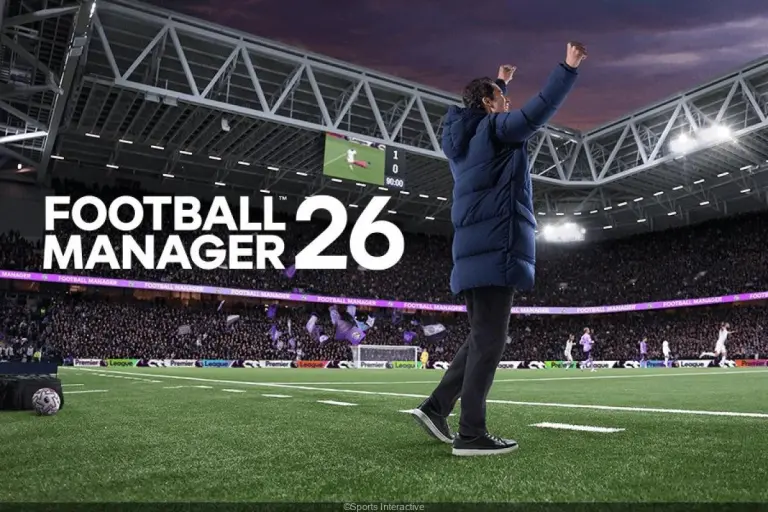
After two transitional years marked by the cancellation of FM25, Football Manager 26 arrives on console with clear ambitions: modernize the experience, increase immersion and lay new technical foundations. The Unity engine changes the visual game, the user interface is reorganized around a unified portal, and the tactics are now separated by phases to match the realities on the pitch. The new features go beyond details; they shake up habits, from career mode to the database, with the integration of women’s football and the arrival of a highly awaited Premier League license.
This shift comes, however, at a short-term cost. On certain devices, match day suffers from unpredictable framerate and choppy flow. This situation tarnishes an otherwise solid management game, especially when the artificial intelligence is more readable in its tactical reactions and animations gain depth. Should we wait to judge the whole? The comprehensive analysis below highlights the achievements, limitations and immediate optimization paths, to help every coach get the best out of FM26 on console.
Football Manager 26 Console: Match Day immersion and performance realities
The promise is enticing. The Unity engine gives “Match Day” a more credible aesthetic, with dynamic lighting, lively stadiums and pitches showing wear. Cameras offer more useful angles for block reading and distance analysis. The soundtracks gain nuances, making the local atmosphere more palpable. This immersion directly benefits the evaluation of tactics: it becomes easier to observe an inverted fullback inserting into the heart of the game, or a pivot dropping back to occupy a center-back.
The technical downside exists. On some console configurations, the framerate drops during intense phases, especially in prolonged pressing and quick transitions. On-the-fly changes freeze momentarily, breaking the dynamic of reactive coaching. These issues hinder readability and reduce the pleasure of fine-tuning an offensive animation crafted to the millimeter. Yet, the base remains solid. Graphic settings allow compromises: lowering crowd density, reducing shadow quality and favoring a wide camera sometimes stabilize the display without compromising the experience.
Reinvented but perfectible match experience
The new match sheet layout clarifies information intake. The key statistics inventory is displayed in a unified sidebar. Pressing, recovery and ball circulation speed metrics follow each other without juggling between submenus. This more compact user interface helps target an immediate fix: for example, lowering the line height if depth is poorly handled, or reversing the weak-side build-up when a winger closes the axis too much.
An example well illustrates these advances. In a fictitious derby, US Montreuil challenges a stronger rival. The coach opts for a 3-2-2-3 in possession, then shifts to 5-4-1 out of possession. The new timeline quickly highlights a flaw: the inside winger is isolated because the wing-back’s transition is delayed. An adjustment slipped through shortcuts corrects the tempo of the advance. The maneuver produces two clear chances before halftime. This tactical granularity makes sense, even if micro-stutters sometimes cut the emotional momentum.
When AI reacts better… and when it gets tangled
The opposing artificial intelligence reads pressing triggers a bit better. It adjusts its plan to avoid traps on short clearances, and targets players under pressure. Nevertheless, strange moments remain, notably fullbacks too attracted to the center after a second wave of crosses. These cases are marginal and should ease via patches. Meanwhile, the trick is to set change scripts: switch to extreme width and lengthen the first pass to breathe, then reintroduce short build-up when the AI drops back.
This contrast between potential and technical hiccup sums up the current phase. The tactical tool is rich and the audiovisual polish attracts. The path to smooth execution passes through targeted optimizations and careful management of display parameters.
This pragmatic snapshot opens the door to the second pillar: software architecture and new ergonomics, which condition the quality of daily use.
Unity engine and redesigned user interface: what really changes
The move to Unity is not just a graphic choice. It imposes a redesign of navigation flows and key screens. The new layout relies on a central Portal that aggregates calendar, messages, news, reports and suggested actions. The gain is immediate: the player no longer scatters attention. Critical tasks are prioritized, reducing time spent in submenus. The quick accesses, now contextualized, allow reaching a target squad, a match report or a transfer list in two clicks.
The onboarding process also modernizes startup. The avatar editor is enriched. A sports vision questionnaire refines the profile: pressing philosophy, liking for axial build-up, academy management. This step influences initial recommendations and prepares a more guided learning curve. It avoids the classic trap: getting lost in peripheral tasks in the first week without anchoring a clear game identity.
Navigation: five gestures that save time
- Pin critical modules in the Portal (recruitment, medical, training) to create a personalized dock.
- Use side shortcuts to switch between squad A, B and women’s teams without going through home.
- Filter messages by priority, isolating reports and contract validations for batch processing.
- Deploy the analysis panel in fullscreen during weekly reviews for faster, better-informed decisions.
- Apply saved views on lists (age, minutes, form) to anticipate rotation and injury risk.
These gestures minimize cognitive load. Decision-making is refocused on the core of the management game rather than hunting scattered information. Over time, the redesigned ergonomics free cycles to refine tactics and work on individual development.
Case study: a typical week at US Montreuil
In a test career, USM goes from a saturated portal to a streamlined view in three days. The home screen displays the micro-cycle of training, medical availability and a shortlist of two targets. The manager validates load intensity, triggers a video briefing, then signs an extension with a bonus clause. All without changing the main tab. The felt fluidity partly compensates for the content density. It strengthens adherence to the daily loop and reduces exhausting back-and-forths.
One downside remains: the muscle memory from previous versions complicates the transition. Experienced players will search for functions in familiar places. The new plan requires reprogramming. A short adaptation period largely resolves this gap. The benefits outweigh the drawbacks, especially when fully exploiting pins, views and filters.
Solid ergonomics only make sense if the sports layer follows. And that’s precisely the other big chapter: phase dissociation and depth of instructions.
Advanced tactics and artificial intelligence: separating game phases
The strategic core of Football Manager 26 lies in the clear separation between in possession and out of possession animations. This innovation changes how plans are thought out. You can design a 3-2-2-3 to create advantages in the center, then slide to a 4-4-2 to close half-spaces on loss. Pressing triggers gain precision. They target not only the ball carrier but also the most vulnerable profile in the first build-up phase. This subtlety better fits modern trends observed in Europe.
Roles are refined. The inside winger can become a marking magnet to free the path of an attacking fullback. The mezzala turns into a corridor connector, alternating heights depending on the pivot’s position. The new features include more explicit combinations on build-up phases, set-piece combinations and defensive transitions. All is visible on an event timeline marking tactical shifts and key sequences.
Typical plan vs aggressive midfield block
Against a team pressing mid-height, an effective model is to fix in the center and strike behind the fullback. In possession: 2-3-5 structure, inside winger left, high fullback opposite, 8 box-to-box. Out of possession: compact 4-4-2, aggressive midfield line. Triggers: bait on the weak-footed center-back, trap on the six. This matrix forces a losing choice for the opponent: either concede width on the weak side or break on a central trap. FM26 metrics help check effectiveness: high recoveries, xT generated by corridor, successful progressive passes.
Quick reference table of key options
| Option | Sought effect | Indicator to monitor | Typical opponent countermeasure |
|---|---|---|---|
| 3-2 base | Clean exit under pressure | Asymmetrical pressing on the 6 | |
| Extreme width | Stretch defensive block | Crosses towards cut-back zone | Higher fullbacks, sliding stoppers |
| Zone marking | Control half-spaces | Opponent passes to neutral zones | Central overload with false 9 |
| Delayed pressing | Trap on the second pass | Balls recovered in midfield third | Quick projection of the 8 |
| Quick transitions | Exploit spaces left | Attack speed after recovery | Tactical fouls and low retreat |
This framework facilitates iteration between two matches. It aligns instructions with measurable objectives. FM26’s artificial intelligence reacts better to imbalances created by these choices. It tests logical countermeasures, like more aggressive coverage of the exposed half-space. Coaches on console however retain control: adjustment presets remain immediately accessible on the timeline, compensating for rare display stutters.
The central lesson is clear. Phase dissociation is not a gimmick. It encourages modular thinking, indexed on tangible metrics and clearer execution.
For the plan to survive the season, you then need to recruit well and benefit from regulatory frameworks and licenses. This is the focus of the next section.
Recruitment, licenses and women’s football: an expanded career mode
The recruitment unit of Football Manager 26 has been consolidated. Reports, target lists, recruiter instructions and analytics reside in the same place. No more jumping between four screens to validate a lead. Advanced filters combine age, minutes played, injury density and impact metrics. The tool offers views by role profile: corridor target, axial attractor, defensive anchor. This approach shortens the delay between identification and contract proposal.
The integration of women’s leagues widens the pool. It offers new narrative arcs and different budget constraints. Development trajectories vary, with peak age gaps to integrate into the plan. On the pitch, tactical reading follows the same principles, but the density of opposition demands adjustments in rotation and injury prevention. This is great news for career mode, which gains in diversity and depth.
Licenses and visual immersion
The official Premier League license simplifies life. Logos, kits and media overlays are authentic. Immersion gains credibility, especially on console where screen-player distance reinforces visual impact. The Unity engine supports this overlay with more realistic lighting and clearer camera shots. The aesthetic coherence strengthens the feeling of embodying a club, beyond spreadsheets.
Career scenario: reshaping a mixed club
In a reference story, a metropolitan club manages two parallel projects. The first team aims for the top 6, while the women’s section seeks promotion. The Portal federates planning. Analysts recommend a mobile scorer and a fast defender, identified through compressed reports on one screen. Smart clauses soften the risk: bonus objectives, resale, appearance bonuses. The two projects converge at the winter transfer window, with a measured tactical switch: more width on the women’s side to break tight blocks, and better-controlled transitions on the men’s side.
Useful links complement the framework. The game is available via Xbox Store and includes Game Pass. Official announcements have punctuated the year, like the November release window, and the assumed switch to the Unity engine after the 2025 interlude. This editorial continuity sheds light on the technical choices made.
Ultimately, career mode opens up, structures itself and tells a better story. Recruitment fully participates thanks to centralization that shortens the decision chain.
Football Manager 26 Console: 7 pragmatic tips to optimize the experience from today
An ambitious version can coexist with technical shadow zones. While waiting for patches, some settings transform daily use. These tips target stability, readability and productivity, without impoverishing the sports layer. They apply both to players discovering the series and veterans who want to go fast.
Stabilize display without losing tactical DNA
Reducing shadows, limiting crowd density and choosing a “panoramic” camera smooth the match day. Activating normal speed of the 3D engine avoids load spikes. During low times, switch to 2D to validate a trend then return to 3D to confirm the reading. These switches maintain immersion while protecting framerate.
Prepare coaching scripts
Create three adjustment presets: conservative plan, aggressive plan, management plan. Each preset adjusts line, width and triggers. You gain precious seconds during a lively match. Timeline shortcuts reduce friction and keep the informational advantage.
Automate administration, focus the brain
Delegate the organization of friendlies, negotiation of minor extensions and part of individual training. Keep control over recruitment and team talks. The centralized user interface facilitates supervision. Energy gained reinvests into tactical micro-management and adversary data.
Build a living shortlist
Maintain a list of 15 to 20 targets, labeled by role and calendar. Insert smart clauses, and beware of disruptive salaries. Medical and form reports must remain accessible on the Portal. The idea is simple: no window is improvised, everything is anticipated.
Measure to decide
Track three key indicators per match: high recoveries, xG conceded before halftime, successful progressive passes. Adjust only one lever at a time. This discipline avoids over-corrections. FM26 allows visualizing these changes without breaking game pace.
Exploit set pieces
Program two variants per side: a short one to suck the ball to the ground, a long one to attack the far post. Combinations are more readable. They weigh on the season, especially in leagues where blocks close down. It’s an underestimated points multiplier.
Protect saves
Activate frequent auto-save, rotate several slots and save before big matches. In case of isolated crash, progression loss will be minimal. This hygiene calms the mind and allows staying focused on the sporting aspect.
These simple gestures make the console version more pleasant from now. They maximize tactical signal and minimize technical noise. The coach thus keeps control over what really matters.
With these benchmarks, the season can start on healthy foundations. Upcoming updates should complete the equation.
Is Football Manager 26 on console playable despite framerate issues?
Yes, provided you optimize settings: reduce shadows, lower crowd density and use a panoramic camera. Key matches can alternate 2D/3D to preserve fluidity while maintaining tactical analysis.
What does really the separation of tactics into possession and out of possession bring?
It allows aligning offensive structure and defensive structure on distinct objectives. You create superiority during build-up then lock half-spaces on loss. This reflects modern approaches observed in clubs.
Does the new user interface change the pace of a career?
Yes. The Portal centralizes calendar, messages, reports and actions. Quick accesses limit back-and-forth. Decisions are faster, with better readability, and time is saved for tactical adjustment and individual development.
Do women’s leagues change recruitment strategy?
They broaden the pool and vary development paths. Budget constraints and division dynamics call for adapted clauses and thoughtful rotation to limit injury risk.
Does the Premier League license improve immersion?
Yes. Official visual elements reinforce authenticity. Combined with Unity’s lighting and cameras, they add an aesthetic layer that matters on console, without weighing down information uptake.