
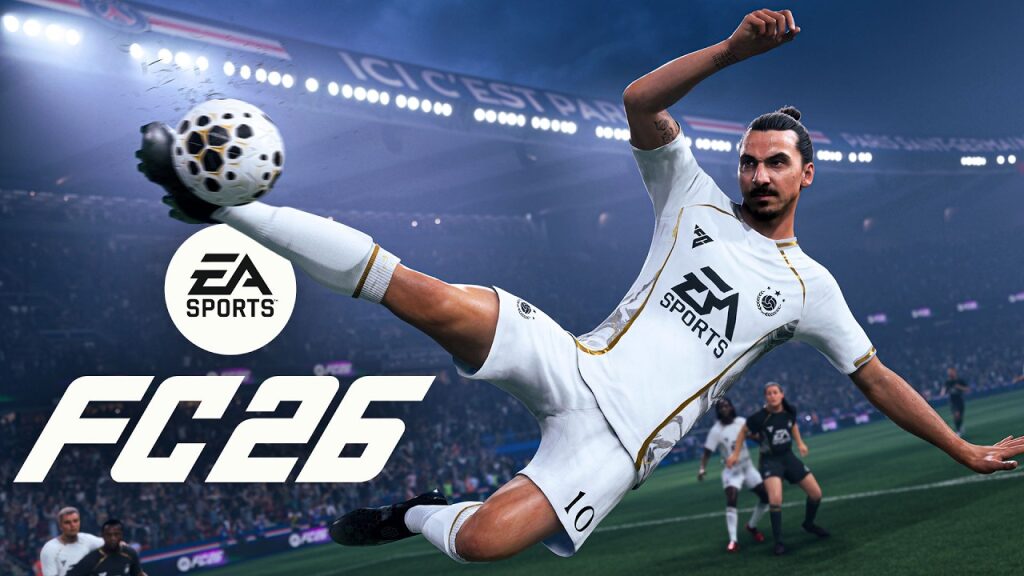
Amazon Prime removes a major barrier: EA Sports FC 26 becomes a free game to launch immediately via the cloud on Amazon Luna, no credit card or additional purchase required. Concretely, Prime members open the Luna app or the web portal, select the cover, and play within seconds. The setup appeals by its simplicity: no download for streaming, just a simple Bluetooth controller, and a stable connection are enough. This exclusive offer is part of a broader promotion that highlights Prime Gaming, which adds PC games every month to download and keep. For soccer fans, instant access allows testing the new features of EA Sports FC 26 on TV, mobile, or computer, including men’s and women’s squads, as well as national teams.
The click is seen on the field: on a Fire TV Stick 4K Max, Nadia syncs an Xbox controller and joins a match in less than two minutes. The controls respond, the interface is fluid, and the experience approaches that of a modern console. Better yet, family groups can use a smartphone as a controller on certain compatible titles, expanding access without hardware costs. Following the end of the FIFA partnership, the FC series has solidified its identity, and the availability on Luna amplifies its reach. For those aiming at competition, Ultimate Team and online modes take on a new dimension through this frictionless entry ticket. Result: an immediate gateway to a flagship video game, with zero marginal cost for all eligible subscribers.
EA Sports FC 26 free for Amazon Prime members: exclusive offer without credit card
EA Sports FC 26 today joins the playable library on Amazon Luna for all Prime members, and access is no credit card required. Just open the Luna app on TV or use a browser on mobile, tablet, PC, Mac, or Chromebook. Then, click on the game tile and launch a session instantly. In regions where Luna is offered, activation requires no additional payment: the Prime subscription includes access to Amazon’s cloud gaming as well as Prime Gaming benefits.
This promotion comes with a clear promise: to democratize the trial of big sports productions, without long installations or hardware constraints. Moreover, the Luna version relies on streaming; it complements Prime Gaming games available for download on PC, which can be kept for life once added to the account. To check compatibility, consult the official list of devices and access the Amazon Luna hub.
Quick setup on Amazon Luna: compatible controllers and devices
Luna works with Amazon’s Luna Controller and most Bluetooth controllers, including Xbox and PlayStation pads. On TV, a Fire TV Stick or Fire TV model suffices; some recent Samsung and LG TVs also integrate the app. On mobile, tablet, PC, Mac, and Chromebook, a modern browser will do. In practice, the ergonomics are identical to a console: pair a controller, open Luna, and play.
- Fire TV Stick / Fire TV with Bluetooth controller
- Browsers on mobile, tablet, PC, Mac, Chromebook
- Compatible Samsung/LG TVs (selected models)
- Luna Controller, Xbox/PlayStation controllers, and Bluetooth alternatives
To limit latency, prioritize 5 GHz Wi‑Fi or suitable Ethernet on Fire TV. Reducing network congestion significantly improves the fluidity of online matches, especially in Ultimate Team.
Once the controller is paired, the Luna app automatically detects the device and offers a button test. A short training session in the EA Sports FC 26 arena is enough to validate sensitivity adjustments and control assists.
EA Sports FC 26 modes on the cloud: Ultimate Team, Clubs, and Career
The series succeeding FIFA retains its pillars: Clubs, Career, and the essential Ultimate Team. Thanks to the cloud, quick sessions become natural: a Division Rivals match during a break, or a Career progression in the evening on TV, then resumed on a laptop. Men’s and women’s clubs, as well as international teams, are present, which broadens tactical scope and team identities.
For in‑game optimization, tactical consistency is key: measured pressing, passing circuits, and complementary zone profiles. In Clubs, voice coordination remains a decisive asset; in Career, fatigue management and transfer windows condition the consistency of results.
Players focused on competition can aim for weekly rankings, while monitoring connection quality. A clean network setup preserves the responsiveness of technical maneuvers and first-time shots.
Why this promotion changes the game for esports
Free access via Amazon Prime radically lowers the entry threshold to esports. Thousands of new profiles test the competitive scene without initial investment. Mechanically, queues become denser, levels smooth out, and training against varied opponents becomes more productive. It is a natural accelerator for the FC ecosystem and its community tournaments.
Technically, the cloud requires careful setup: router nearby, 5 GHz band, and Ethernet if possible for Fire TV. These choices reduce micro‑interruptions, essential when a shot animation triggers within a sixteenth of a second. On this basis, targeted training (set pieces, ball exits, transitions) generates tangible progress week after week.
Beyond football: other games included with Amazon Prime and Luna
The FC window does not come alone: Luna also offers references such as Hogwarts Legacy and Alan Wake II, while the Tomb Raider license shines thanks to rights held by Amazon. Meanwhile, Prime Gaming publishes PC titles every month in permanent download. This complementarity is valuable: streaming for instant play, and PC library to keep selected works.
The curious explore the Luna homepage to alternate an adventure evening with Lara Croft and an RPG weekend in the wizarding universe. The Prime portfolio thus creates an ecosystem where cloud and local coexist without friction, which builds loyalty and encourages discovery.
In practice, the cloud/PC alternation allows adapting the experience to context: mobility, data, couch comfort, or high-refresh-rate screen. Everyone finds a sustainable playing rhythm.
Quick guide to get started
Before starting your first match, a clear preparation guarantees a smooth session. Here is a simple itinerary that works on TV, PC, or mobile, with or without Luna Controller.
- Verify eligibility and the region of Luna availability on the Amazon Prime account.
- Connect a Bluetooth controller (or the Luna Controller) to the chosen device.
- Open the Amazon Luna app or site and select EA Sports FC 26.
- Start a friendly match to adjust latency, controls, and assistance.
- Then switch to Ultimate Team, Clubs, or Career according to objective.
This sequence avoids surprises and lays solid foundations to progress calmly online.
Frequently asked questions about the Amazon Prime and EA Sports FC 26 offer
Is EA Sports FC 26 really free for Prime members?
Yes. In regions where Amazon Luna is available, the game is accessible without additional payment, no credit card, and no in‑app purchase required to start a game.
Do I have to download the game to play it on Luna?
No. On Luna, the game runs by streaming, so no download is necessary. However, Prime Gaming offers PC games every month for download and keeping.
Which devices allow immediate play?
Fire TV Stick/Fire TV with a Bluetooth controller, browsers on mobile, tablet, PC, Mac, and Chromebook, as well as certain compatible Samsung and LG TVs.
Which controller is recommended for EA Sports FC 26?
The Luna Controller works very well, as do Xbox and PlayStation controllers via Bluetooth. The important thing is to ensure a stable connection to limit latency.
Does this promotion impact FC esports?
Yes. Free access expands the player base, strengthens ranked queues, and improves training against varied profiles, which energizes esports around the title.