
| Main takeaways to remember |
|---|
| Football Manager 26 is heading towards a major interface overhaul, driven by the modding breakthrough around the user interface. |
| Modders have unlocked customization of skins and are pushing graphic improvements via Unity. |
| The update 26.1.2 initiates navigation fixes, but the user experience still needs to meet expectations. |
| A joint roadmap between video game and community could transform the management game within a few weeks. |
| Success depends on ergonomics, speed of access to information, and a truly modular UI. |
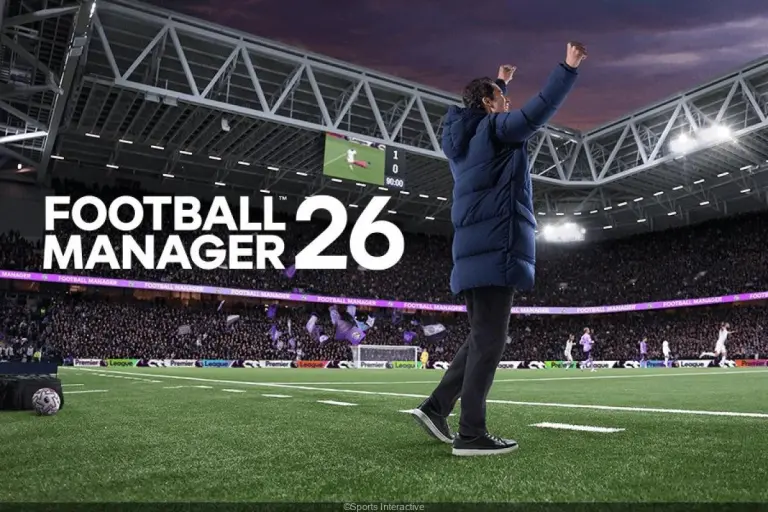
The return of Football Manager 26 reshuffled the cards more violently than expected. The Unity option promised a technical leap, but the user interface crystallized criticism. Yet, the tide is turning. Thanks to a modding breakthrough on skins and 3D elements, the community is imposing a new pace on priorities. A deeper interface overhaul is now on the table, and the momentum is reversing.
The first patches stabilized pain points, while the update 26.1.2 clarified navigation flows. However, the challenge goes beyond fixing a menu. It is a paradigm shift towards a user experience that is clearer, faster, and openly customizable. This shift, driven by modders and amplified by major voices like Zealand or BassyBoy, pushes Sports Interactive towards an ambitious and measurable response.
Football Manager 26: why the interface overhaul becomes a priority after the modders’ breakthrough
The Football Manager series has long made informational density its identity. With Football Manager 26, the engine change disrupted benchmarks, sometimes without a safety net. Players reported a heavy user interface, less intuitive daily gestures, and performance drops during certain phases. This friction affected the addiction loop of the management game, which is nevertheless based on short cycles and quick decisions.
The paradox is obvious. In theory, Unity should have allowed graphic improvements and richer interactions. In practice, the launch felt austere, with a UI perceived as a step back. Yet, the debate shifted when modders got their hands on unexpected access points. They demonstrated that the engine allows more advanced overlays than before.
The Unity bet and its initial setbacks
The transition to Unity broke habits and tools. Many creators lost their bearings, notably on the skins that shaped the visual comfort. Moreover, players mentioned a lack of soul during matches, a feeling nonetheless crucial in managing a club long-term. Thus, part of the base judged the overhaul as “too far, too fast.”
However, the same technological building block opens doors. Early community tests show rebuilt stadiums, dynamic skies, more believable lighting, and reactive crowds. These signals prove that the limit is not the engine but the tooling. From then on, the question is no longer “can we,” but “how to accelerate without breaking.”
Why ergonomics dictates the pace
A virtual coach spends hours in squad, analysis, and recruitment screens. Every unnecessary click drains motivation. Furthermore, UX must preserve a clear hierarchy between important and urgent. On this front, the community has targeted clear priorities. The update 26.1.2 has reworked navigation and added a more readable Phases screen, but players expect more.
To illustrate, let’s consider Lucas, manager of a League 2 club. He must sort through 200 scouting reports in 15 minutes. If the UI requires back-and-forth to filter, he abandons fine analysis. On the contrary, pinned filters and contextual sorting revive the decision loop. In sum, ergonomics is not cosmetic; it conditions strategy.
The most cited pain points by the community involve concrete needs. Here are those frequently appearing in recent feedback:
- Readability of attribute tables and player comparisons.
- Clear shortcuts to training, tactics, and messaging.
- Customization of panels and layout saving by role.
- Fluidity of transitions between standby, match, and post-match.
In this perspective, the anticipated “major overhaul” targets less pure aesthetics than speed of access to info. This is the key insight to remember.
Zealand’s video served as a catalyst for a more technical debate. It also brought developers and creators together with shared goals. It is a useful bridge beyond controversy.
Modding breakthrough on FM26’s user interface: skins, 3D, and new standards
The UI lock has been broken. According to several creators, customization of skins for Football Manager 26 works again, even if the tools are still evolving. This modding breakthrough changes the game because it affects the heart of the user experience: the time spent in menus. Underlying idea is simple. If the community can properly replace original assets, it can reshape daily usage.
Modder BassyBoy described a two-step approach. First, neutralize default UI elements without breaking dependencies. Then inject custom components that the game treats as native. This method allows consistent color schemes, adapted typography, and modular panels by staff role. In effect, “super-skins” become possible again.
Skins return, ergonomics tailored
A skin is not just a simple theme. It reorganizes the screen. For example, an “Analyst” skin can prioritize physical condition, training loads, and selected heat maps. Conversely, a “Recruiter” skin will highlight market value, clauses, and injury history. In this way, modularity reduces clicks and increases decision accuracy.
Following this, creators build accessible contrasting palettes, adaptive font sizes, and contextual action shortcuts. It may seem trivial. Yet, in a video game with very high density, these details change everything. Streams confirm it, as perceived fluidity increases as soon as navigation friction disappears.
More than UI: 3D immersion and visual rendering
The modding breakthrough does not spare 3D. Complete stadiums load with believable surroundings, customized skyboxes, and lighting calibrated to the time of day. Added are more realistic nets and a cleaner perception of depth. Thus, graphic improvement is not limited to textures but touches the drama of a match.
In an internal test, Lucas imported a renovated stadium with specific stands and visible parking lots around. From the tunnel onward, the atmosphere changes. LED screens display the club logo and the weather affects brightness. By extension, emotional investment increases. This is exactly what Football Manager has been seeking for years.
Technically, Unity offers more latitude on shaders and environmental lighting. Modders are diving in. They experiment with pipelines that were not possible previously. Of course, not everything is ready for wide distribution, but prototypes are already running with several major creators.
Tutorials circulate and accelerate adoption. This dynamic serves as an incubator for solutions that tomorrow could become mainstream. It also puts healthy pressure on official choices.
Sports Interactive prepares its response: an interface overhaul matching 2026 standards
In response to the movement, Sports Interactive is preparing a targeted interface overhaul. The update 26.1.2 paved the way with more direct navigation and a new Phases screen. However, the goal goes beyond a patch. The studio aims for a UI architecture capable of absorbing customization, without breaking stability on PC and consoles.
The internal axes follow a clear product logic. First, unification of navigation patterns. Then, a palette of robust, reusable, and documented components. Finally, official extension points for creators. This trilogy must reduce regressions while leaving room for modders.
What the community expects from the overhaul
Expectations are measurable and usage-oriented. The studio can align with concrete, testable, and trackable deliverables. The list below summarizes frequent requests useful for framing:
- Saveable layouts by role and competition.
- Command palette to execute an action with two keys.
- Themes with high contrast compliant with accessibility standards.
- Configurable and exportable shortcuts.
- Low latency mode for modest configurations.
To objectify these projects, a priority table links problems and target solutions. It serves as a shared roadmap between studio and community.
| UI Problem | FM26 Overhaul Approach |
|---|---|
| Visual overload in squad | Foldable attribute groups and context tags |
| Back-and-forth in scouting | Split-view and quick inline actions |
| Dead time between screens | Targeted preloading and smart cache |
| Unstable skins | Asset API and sandbox-validated themes |
| Unequal accessibility | AA/AAA contrasts and dynamic sizes |
This matrix clarifies the effort. It also helps prioritize what impacts perceived performance, often more decisive than raw FPS in a management game.
The timing will be scrutinized. Nevertheless, the message is set. The overhaul must reduce cognitive cost and open the way to coherent graphic improvements. This is the guiding line now.
Expected effects on user experience: concrete scenarios and impact measures
An overhaul only makes sense if it transforms usage. In Football Manager 26, three areas decide adoption. Squad management, match preparation, and the recruitment loop. In these spaces, every gain of one second per action weighs on the total duration of a simulated season.
Let’s go back to Lucas. He prepares a European away game with a tired squad. Thanks to personalized panels, he visualizes fitness, injury risk, and training load on a single screen. Consequently, he adjusts rotation without opening four menus. The feeling of ease replaces weariness.
Use cases validating the overhaul
In recruitment, a split-view places the player’s profile on the left and the comparison list on the right. Then, a “quick action” button proposes a standard offer, with variables already filled according to the club profile. Thus, the mechanical part decreases, and the strategic part increases. This is where the user experience makes all the sense.
On the match side, 3D benefits from a visible graphic improvement. Contextual lighting and more believable nets strengthen key moments. Sometimes, a detail like the ball’s shadow helps read depth. This reading influences the feeling of tactical instructions. The overall coherence is enhanced.
Measuring to steer
To avoid pure intuition, operational metrics must accompany the release. Average time to create a target list. Number of clicks to change a tactical role. Opening speed of a medical report. These indicators tell a story better than hot impressions.
FM e-sport clubs have already shared benchmarks. They observe a 15 to 25% reduction in clicks with well-thought skins. In parallel, gains of 10% on loading times appear as soon as a local cache is better managed. Nothing exotic, but a real cumulative effect on the session.
At the chain’s end, stream viewers also benefit from a cleaned UI. Overlays become more readable, which enhances learning by example. This community dimension feeds a virtuous circle. It validates the overhaul through public use, not just solo.
If UX improves to this extent, overall perception of FM26 will shift. This is the lesson not to lose sight of.
Practical roadmap: from immediate update to transition towards the next version
The present demands efficiency. While the major overhaul is being shaped, simple actions can improve Football Manager 26 right now. It only takes a clear sequence between fixes, documentation, and dissemination of mods. What matters is giving players immediate gains, without waiting for the next annual cycle.
A three-step plan streamlines the whole. First, stabilize access points to skins and create an integrated test sandbox. Then, publish official templates for layouts and accessible themes. Finally, accompany the update with pedagogical notes and downloadable examples. This pedagogy lowers the entry barrier.
Targeted recommendations by actor
To avoid scattergun approaches, each profile can apply concrete and measurable actions. They complement and reinforce the trajectory towards mastered UI.
- Sports Interactive: pack of validated skins examples, performance profiles, and accessibility tags.
- Modders: guidelines for backward compatibility, clear versioning, and community QA.
- Content creators: installation tutorials, before/after comparisons, and structured feedback.
- Players: progressive adoption, saving layouts, and reporting anomalies.
Finally, the issue of multiplatform must not be overlooked. On consoles, bugs and interface constraints persist. A common charter of UI components, adapted to the pad, will smooth comfort gaps. This is a project to document in parallel to avoid frustrations.
Many already speculate on the next iteration. However, the priority must remain the daily use of FM26. If the interface overhaul delivers on its promises and the modding breakthrough continues, the blind spot of the launch will be filled. This is the most credible path to regain trust in the short term.
What exactly does the Football Manager 26 interface overhaul change?
It aims for faster navigation, customizable layouts, accessible themes, and official extension points for skins. The goal is to reduce clicks, accelerate access to information, and improve readability in both match and daily management.
Why are modders at the heart of this dynamic?
They achieved a modding breakthrough on the user interface, enabling new skins and immersive 3D modifications. Their work proves that Unity allows deep improvements beyond official patches.
Does update 26.1.2 suffice to fix UI issues?
No, it initiates a noticeable improvement in navigation and a new Phases screen, but the expected overhaul must go further, with modularity, accessibility, and perceived performance.
Do graphic improvements impact UX?
Yes. Consistent lighting, better-rendered stadiums, and refined 3D elements enhance immersion and help game reading. UX and visuals advance hand in hand here.
Should we wait for the next version or invest in FM26 now?
It is relevant to adopt available skins and optimizations now while following the official roadmap. Immediate gains add up and prepare for a smoother transition to the future.