
- Market search made reliable for certain kits and badges.
- Celebration previews functional before application.
- Fewer interface back and forths, more informed decisions.
- A more readable inventory to refine club identity.
Creator tip: pair a contrasting secondary kit and a clean badge to optimize readability on stream and avoid color confusions in competitive play.
Visuals, texts, and stability: the invisible finishing touch that matters
The patch also refines presentation. Names, jerseys, sponsors, and crests receive updates, while text overlaps disappear. These micro-details prevent reading errors and enhance immersion. On the technical side, stability improves with fixes for reported crashes.
Over a full season, these touches reduce cognitive fatigue. A coherent menu and solid technical base free attention for game plans. The promise is simple: less friction, more football. This is often where divisions and career promotions are won.
Adaptation guide after 1.5.3: turning constraints into advantages
The new goalkeeper demands proactive thinking. Prepare varied outlet circuits: third man, quick switch, or long play directed to a targeted duel. Calibrate AI support bars to offer passing angles. In Career, set realistic objectives and track your applications via the watchlist to secure job transitions.
In Ultimate, streamline your visual identity and celebrations to smooth your club’s brand. Then, spend your credits on instant-impact positions rather than duplicate aesthetics. The takeaway: this patch enhances readability and initiative-taking, two levers that, when well exploited, turn tense draws into controlled wins.
Practical checklist to fully benefit from EA FC 26 novelties
Before diving back into competitions, a quick review avoids unpleasant surprises. This list highlights points to check right after installing the update. It combines settings, asset verifications, and quick tactical adjustments.
- Test the restart under pressure in a friendly to feel the goalkeeper trigger.
- Check your favorite kits/badges in the UT market and update favorites.
- Review Career challenges and the new readability of European rankings.
- Control celebrations via preview before buying/applying.
- Scan your squads to detect inconsistent wages inherited from old saves.
Key points of patch notes 1.5.3 to remember
This summary condenses the changes that weigh most on daily performance and menu fluidity. It forms a quick reference base before adjusting strategy or club management.
- Goalkeepers: automatic clearance in case of abusive backpasses.
- Ultimate Team: fixed market search for certain items; preview of celebrations restored.
- Career: separator in European competitions, automatic job watchlist, clearer UI completion.
- Job security: status raised to “Correct” at season end in borderline cases.
- Fixes: manager assignments, ICON wages, European placements, overlapping texts.
- Stability: crash reduction and updated visual assets.
Does the 1.5.3 update of EA FC 26 change the gameplay meta?
It does not rewrite the meta, but it cuts off an anti-game lever: abusive backpasses. Restarts remain viable, provided to alternate routes and avoid repetitive loops back to the keeper.
What does Career Mode practically gain after this patch?
Better readability (separator in European cups), simpler management of applications with automatic addition to a watchlist, and UI clarifications on progression. Known inconsistencies (ICON wages, European placements, coach assignments) are fixed.
Does Ultimate Team receive new content with 1.5.3?
No, it’s an ergonomics patch. It fixes search for certain kits/badges and restores celebration previews. Navigation and customization gain reliability without adding cards or events.
Is the update available on all platforms?
Yes, deployment occurs across all supported platforms. A game restart may be required to apply files and database.
How to train to avoid forced goalkeeper clearance?
Practice short outlet sequences followed by diagonal passes, then use the third man. Train in friendly matches to vary angles instead of recycling multiple passes to the goalkeeper.
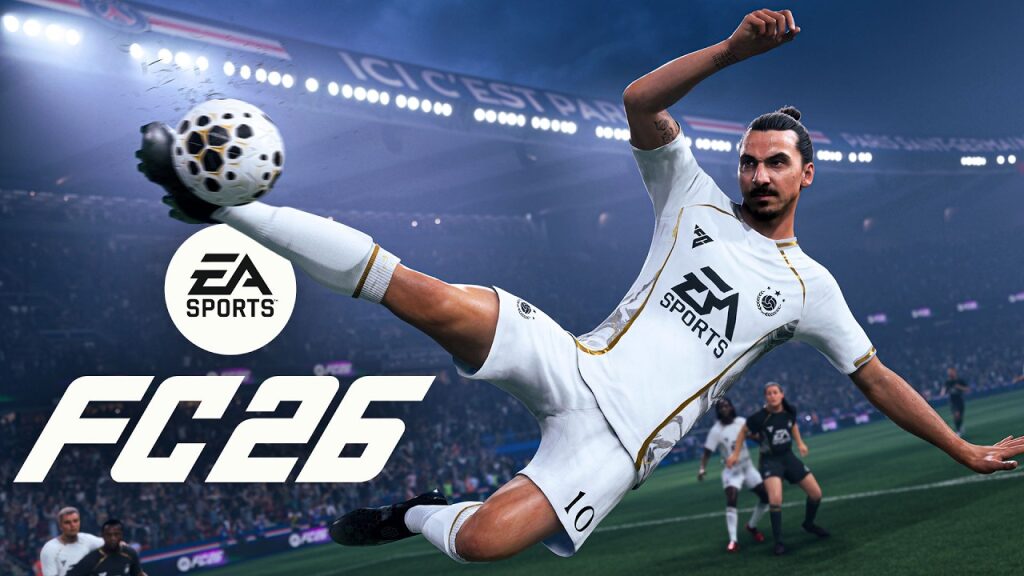
EA FC 26 launches a targeted update that affects gameplay, Career Mode, and Ultimate. Numbered 1.5.3, it is deployed across all platforms and tackles everyday frictions rather than spectacular content additions. The core of the patch fixes an exploited behavior used to run down the clock, improves the readability of Career competitions, and smooths customization in Ultimate. The patch notes emphasize match authenticity and interface uniformity, not to mention stability fixes. In practice, less time-wasting and more clarity.
This patch is not trivial. It moderates unrealistic restart routines, fixes store elements and animation previews, then finalizes structural details that caused long matches to derail. A simple example illustrates this: the addition of a separator in European rankings in Career Mode prevents reading errors at the crucial qualification moments. Furthermore, too-low wage demands from ICON players and some inconsistent European placements have been corrected. As a result, the football experience gains coherence, and key features benefit from tangible improvements in daily use.
EA FC 26 1.5.3 update: gameplay innovations that clean up the pace
The flagship mechanic concerns goalkeepers. In case of repeated backpasses intended to kill time, the keeper now kicks the ball out of play. This logic targets abuses without penalizing classic low build-up. Normal restarts remain intact, but deliberate repetition triggers the purge.
Concretely, a team that circulated the ball between defenders and keeper to freeze the score is abruptly stopped. Match endings gain intensity because the opponent regains possession faster. Competitive players will have to vary ball outlets, alternate with switches, and use wall passes on midfielders.
Time-wasting, restarts, and goalkeeper decisions: what changes on the field
The trigger is based on the excessiveness of the pattern, not just a simple backward pass. A goalkeeper receiving a pressured pass won’t be penalized. However, a calculated loop results in a forceful clearance. This choice prioritizes match credibility and reduces unrealistic scenarios behind.
Typical example in Division Rivals: a team leads by one goal in the 85th minute. On the third consecutive backpass to the keeper in the same cycle, the game enforces a strong decision. Seconds no longer drain away for free. Time-wasting attempts fade and pressing regains real meaning.
To adapt quickly, prepare a plan B for ball outlet. Look for the opposite winger after a short hold-up, exploit the striker’s drops, and program a practiced goal kick restart. This calibration weighs little on measured possession but deters abuse.
EA FC 26 Career Mode: readability, progression, and job security improvements
Career Mode focuses on comfort refinements. A separator in European cups clarifies who advances to the next round. Clubs with an application submitted are automatically added to a watchlist, speeding opportunity monitoring. Challenges now include distinct men’s/women’s labels to avoid any ambiguity.
Progression becomes more transparent: the end-of-challenge interface better details save and advancement mechanics. Another crucial aspect is coach job security: a low status at season end now rises to “Correct” in certain cases, limiting surprise dismissals that disrupted multi-season projects.
Case study: a youth academy club facing the European calendar
Let’s take “FC Belleville,” a fictional club promoted to the UEFA Europa Conference League. Last season, unclear ranking sorting made it harder to read qualifiers. With the separator and revamped visual order, staff better anticipate draws and manage rotation. Add the watchlist of open positions: the coach prepares his leap to a higher league without losing information.
On the market, ICON players no longer demand unrealistically low wages, which stabilizes the scale. Last key point: manager assignment generators at career creation no longer make gross mistakes. The mode regains strategic solidity.
EA FC 26 Ultimate Team: fixed features and smoother navigation
In Ultimate, few patch lines but immediate effects. Jerseys and badges missing from market searches now properly appear. Celebration animation previews display as expected, avoiding blind purchases. Customization saves time and precision.
For team creators, it’s a double benefit: aesthetic consistency returns, and impulsive buys drop thanks to reliable previews. The pure game meta isn’t disrupted, however the hub ergonomics favor a clearer flow between matches, objectives, and transfers.
What’s new in Ultimate Team at a glance
- Market search made reliable for certain kits and badges.
- Celebration previews functional before application.
- Fewer interface back and forths, more informed decisions.
- A more readable inventory to refine club identity.
Creator tip: pair a contrasting secondary kit and a clean badge to optimize readability on stream and avoid color confusions in competitive play.
Visuals, texts, and stability: the invisible finishing touch that matters
The patch also refines presentation. Names, jerseys, sponsors, and crests receive updates, while text overlaps disappear. These micro-details prevent reading errors and enhance immersion. On the technical side, stability improves with fixes for reported crashes.
Over a full season, these touches reduce cognitive fatigue. A coherent menu and solid technical base free attention for game plans. The promise is simple: less friction, more football. This is often where divisions and career promotions are won.
Adaptation guide after 1.5.3: turning constraints into advantages
The new goalkeeper demands proactive thinking. Prepare varied outlet circuits: third man, quick switch, or long play directed to a targeted duel. Calibrate AI support bars to offer passing angles. In Career, set realistic objectives and track your applications via the watchlist to secure job transitions.
In Ultimate, streamline your visual identity and celebrations to smooth your club’s brand. Then, spend your credits on instant-impact positions rather than duplicate aesthetics. The takeaway: this patch enhances readability and initiative-taking, two levers that, when well exploited, turn tense draws into controlled wins.
Practical checklist to fully benefit from EA FC 26 novelties
Before diving back into competitions, a quick review avoids unpleasant surprises. This list highlights points to check right after installing the update. It combines settings, asset verifications, and quick tactical adjustments.
- Test the restart under pressure in a friendly to feel the goalkeeper trigger.
- Check your favorite kits/badges in the UT market and update favorites.
- Review Career challenges and the new readability of European rankings.
- Control celebrations via preview before buying/applying.
- Scan your squads to detect inconsistent wages inherited from old saves.
Key points of patch notes 1.5.3 to remember
This summary condenses the changes that weigh most on daily performance and menu fluidity. It forms a quick reference base before adjusting strategy or club management.
- Goalkeepers: automatic clearance in case of abusive backpasses.
- Ultimate Team: fixed market search for certain items; preview of celebrations restored.
- Career: separator in European competitions, automatic job watchlist, clearer UI completion.
- Job security: status raised to “Correct” at season end in borderline cases.
- Fixes: manager assignments, ICON wages, European placements, overlapping texts.
- Stability: crash reduction and updated visual assets.
Does the 1.5.3 update of EA FC 26 change the gameplay meta?
It does not rewrite the meta, but it cuts off an anti-game lever: abusive backpasses. Restarts remain viable, provided to alternate routes and avoid repetitive loops back to the keeper.
What does Career Mode practically gain after this patch?
Better readability (separator in European cups), simpler management of applications with automatic addition to a watchlist, and UI clarifications on progression. Known inconsistencies (ICON wages, European placements, coach assignments) are fixed.
Does Ultimate Team receive new content with 1.5.3?
No, it’s an ergonomics patch. It fixes search for certain kits/badges and restores celebration previews. Navigation and customization gain reliability without adding cards or events.
Is the update available on all platforms?
Yes, deployment occurs across all supported platforms. A game restart may be required to apply files and database.
How to train to avoid forced goalkeeper clearance?
Practice short outlet sequences followed by diagonal passes, then use the third man. Train in friendly matches to vary angles instead of recycling multiple passes to the goalkeeper.