
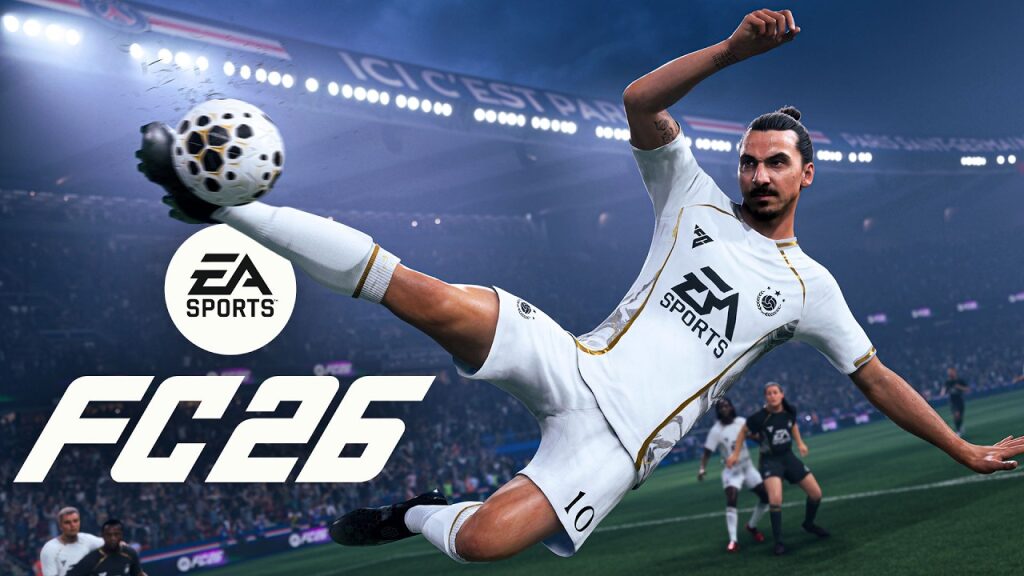
EA Sports FC 26 raises the bar higher with richer goal celebrations, new contextual gestures, and animations inspired by the hottest stadiums in football. The publisher has expanded three major categories: post-goal runs, end-of-celebration signatures, and interactions with the team or the environment. The result: every achievement can turn into a memorable moment if the techniques and controls are well mastered. This guide details how to perform them on PlayStation, Xbox, and PC, while explaining the new features, online etiquette, and useful settings for a show without excesses.
The e-sport scene has already seized it: in major tournaments, players chain pressing, clinical finishing, then calibrated celebration to gain the mental edge. In an amateur virtual club, a fictional troupe, “Canal 11,” has even structured a ritual: sharp goal, camera rush, home mascot interaction. This visual coherence reinforces identity and confidence. The secret isn’t mystical: it lies in simple automatisms, keen reading of the context, and precise settings. The following sections provide the essential reflexes, timing tips, and customization ideas so every goal counts… right up to the last wink at the camera.
All EA FC 26 celebrations and how to perform them
FC 26 groups celebrations into clear categories. Post-goal runs trigger the chase towards the camera, corner flag, or bench. Finales freeze the iconic pose: slide, silence, heart, yoga, etc. Finally, interactions add the team dimension: hugs, pointing at the assister, or calling the club’s mascot. This logic avoids risky improvisation and speeds up execution.
The input window remains brief. After the goal, move the right stick for an immediate reaction, then combine a “modifier” button to switch to an advanced animation. On PlayStation, L1 often serves as a modifier, while R1 opens interactions. On Xbox, think LB and RB. On PC, the right stick maps to the joystick or the mouse/keyboard via arrow keys.
- Camera run: sprint toward the TV camera, arms spread wide.
- Corner flag: flag strike, sliding knee.
- Player signature: dedicated pose, if available.
- Mascot: home interaction, according to the stadium.
- Bench run: celebration with substitutes.
- Respect/No taunt: fair-play gesture to manage momentum.
Key tip: map 2 to 3 “safe” gestures and 1 showtime. This micro-rotation avoids repetition and keeps pressure on the opponent.
Examples of effective sequences
A winger scores on a counterattack. Right stick up to start the run, then modifier to switch to an iconic finale. In a cup, prefer a team interaction to reinforce collective impact and calm opponent nerves. Against rivals, the camera run remains the most destabilizing… balanced with competitive etiquette.
Tactical key: chain a short celebration when leading, to keep the rhythm and avoid the opponent’s tactical restart via pause.
New celebrations in FC 26: movements, mascots, and exclusive animations
This season introduces new gestures rooted in current football culture. Mascot animations gain variety, with club-specific routines and Easter eggs in licensed leagues. Signatures evolve: several stars have a contextual set (home/away, decisive goal, derby). Runs are enriched with branches: side camera, advertising board, capo stand.
In Clubs mode, some gestures unlock through progression tiers or seasonal objectives. Others are obtained via purely visual cosmetic packs. Professional players in official circuits have limited celebrations in tournaments, but the general public base remains accessible. Target 2 new gestures and integrate them into your routine.
When the new features make the difference
In a high-stakes match, Canal 11 changed the tone with a mascot interaction at halftime. The virtual crowd ignites, the opponent suffers visual pressure. This psychological lever exists online: in small doses, it drains concentration and forces simple mistakes.
In league clubs, alternate star signatures and team celebrations to avoid systematic muting by seasoned opponents.
PlayStation, Xbox, and PC controls guide to perform every celebration
The input logic remains consistent across consoles. The right stick handles quick reaction, while modifiers open advanced finales and interactions. Time your first input within half a second after the goal animation.
PlayStation (PS5/PS4)
Basic: move the right stick (up/down/left/right) for an immediate reaction. Hold L1 then move the stick for an advanced variant. Use R1 with right stick for a team or environment interaction depending on context. L2 during the run speeds the movement towards the camera.
Example: L1 + right stick down for a signature pose, R1 + right stick right to target the corner flag. Adjust according to goal distance.
Xbox (Series/One)
Basic: move the right stick. Hold LB for advanced finales. Use RB with the stick to trigger a team or mascot interaction if available. LT facilitates the camera run.
Example: LB + right stick up for a calm celebration, RB + right stick left to aim at the nearest advertising banner.
PC (controller and keyboard)
With a controller, follow console logic. On keyboard, map the “right stick” to arrows or numpad. Assign two modifier keys to replicate L1/LB and R1/RB. Keep an ergonomic layout to avoid mistakes under pressure.
Tip: create a dedicated “Celebrations” control profile and export it for your team in Clubs, to align routines.
Before proceeding, review your mappings and test them in friendly matches. Automatisms build up in 5 to 10 well-paced training goals.
Timing and execution techniques to enhance every goal
Timing is everything. Start the first input as soon as the post-goal cinematic begins, then confirm a finale within the next second. Stay aware of the pitch: a corner celebration fails if the scorer runs in the wrong direction. Anticipate the run direction with the left stick before the final input.
Under pressure, favor a short animation to maintain momentum. Conversely, a striking celebration after a key goal can lower the opponent’s mental bar. Ask yourself: should I press psychologically, or speed up the restart to keep control?
Training routines that work
Use quick matches against the AI at an appropriate difficulty. Goal: score 10 goals and vary 3 celebrations. Film your hands to correct input delay. This micro-session is enough to solidify your techniques online.
Final insight: a reliable gesture is better than an overly complex combo that breaks rhythm.
Unlocking and customization in Clubs and Ultimate Team
In Clubs, celebrations are earned through seasonal XP, attacking challenges, and division rewards. Assign one signature per position to tell the goal’s story: pivot for the number 9, friendly gesture for the number 10, camera sprint for the winger. In Ultimate Team, cosmetic packs and limited-time objectives add exclusive animations.
Consider readability: map a short celebration to a simple input, and reserve premium gestures for a modifier. The avatar maintains control, the team follows the script.
Club tip: share an internal mini-guide with 3 gifs and the input list. Visual alignment strengthens the brand and cohesion.
Online etiquette, e-sport, and anti-toxicity options
In competitive play, sobriety pays off. Most leagues allow celebrations, but excess can strain the match. Use anti-toxicity settings: mutual “skip” shortcut, reduction of opponent cinematics, filter sensitive gestures. The 2026 e-sport tournaments encourage short celebrations for broadcast rhythm.
In ranking, adapt to the social meta: a mark of respect often triggers reciprocation. This lever reduces frustrating pauses and keeps gameplay smooth.
When to stop?
After a third goal, limit the duration. You keep the sporting advantage without fueling animosity. True superiority is shown with the ball at your feet, not by extending cinematics.
Practical conclusion: clear team rules, and a “skip” button always within reach.
Troubleshooting: why a celebration doesn’t start and how to fix it
Several causes exist. An input too late cancels the animation. An unsaved keyboard mapping creates conflicts. A contextual interaction fails if the camera or distance is unsuitable. First check the input window, then the stadium layout.
Simple procedure: test a basic celebration with the right stick. If it responds, add a modifier. If nothing triggers, reset the control profile, restart a friendly match and check latency. As a last resort, change the run target to avoid an AI obstacle.
What are the basic controls to trigger a celebration in FC 26?
Move the right stick immediately after the goal for a quick reaction. Add a modifier (L1/LB or R1/RB) for an advanced finale or a team interaction. On PC, map the right stick to arrows or numpad and assign two modifier keys.
How to unlock new animations in Clubs mode?
Progress through season tiers, complete attacking objectives, and collect division rewards. Some celebrations come through cosmetic packs. Then assign them in the pro customization menu.
Can you interact with the club mascot?
Yes, if the stadium and license permit. Approach the corner or bench area, then use a combination with modifier (R1/RB depending on platform) to trigger the interaction when available.
Are there options to limit opponent celebrations?
Activate anti-toxicity settings: duration reduction, mutual skip, and visual filters. These options maintain rhythm without completely removing the spectacle.
Why doesn’t my celebration trigger every time?
Timing and context matter: input too late, wrong run angle, or faulty mapping blocks the animation. Test a simple right stick reaction, check latency, and reset control profile if needed.